Ask your data directly
Ask questions in plain language and get visual answers, with metric definitions and data lineage kept visible.
Analytics
Mordiford brings customer, marketing, sales and revenue data into one view, using AI to surface changes, explain what's driving them and show you where to focus next.
How Analytics works
Connect Affiliate Management, CRM, marketing, web, finance and operational data in one place, with shared definitions that give everyone a consistent view of performance.
See what’s moving the numbers that matter. Track revenue, pipeline, acquisition costs, conversion and retention, then drill down by channel, campaign or customer segment to understand where performance is coming from.
Keep important shifts in view as they happen. AI surfaces unusual changes and investigates likely drivers, helping you understand what changed and why, while forecasting gives you a view of what could happen next.
Take what you learn and put it to work. AI turns performance data into recommended actions, with the evidence, expected impact and confidence behind each suggestion kept visible.
Bring performance across your business into view, with the tools to:
AI built in
Mordiford keeps the data, definitions and context behind AI-generated insights visible, so your team can understand what’s driving an answer before deciding what to do next.
Ask questions in plain language and get visual answers, with metric definitions and data lineage kept visible.
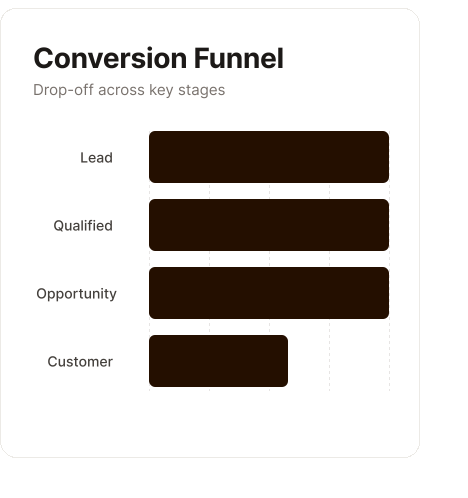
See the channels, affiliates, segments or funnel stages contributing to unusual movements in performance.
Explore predictions for revenue, pipeline conversion, customer value and campaign outcomes alongside confidence ranges and scenario inputs.
Keep the expected commercial impact, confidence and supporting evidence visible when AI recommends where to act.
Mordiford uses certified KPIs, versioned definitions and a shared business glossary to keep metrics consistent across teams. Freshness indicators, quality tests and reconciliation controls give you greater confidence in the data behind them.
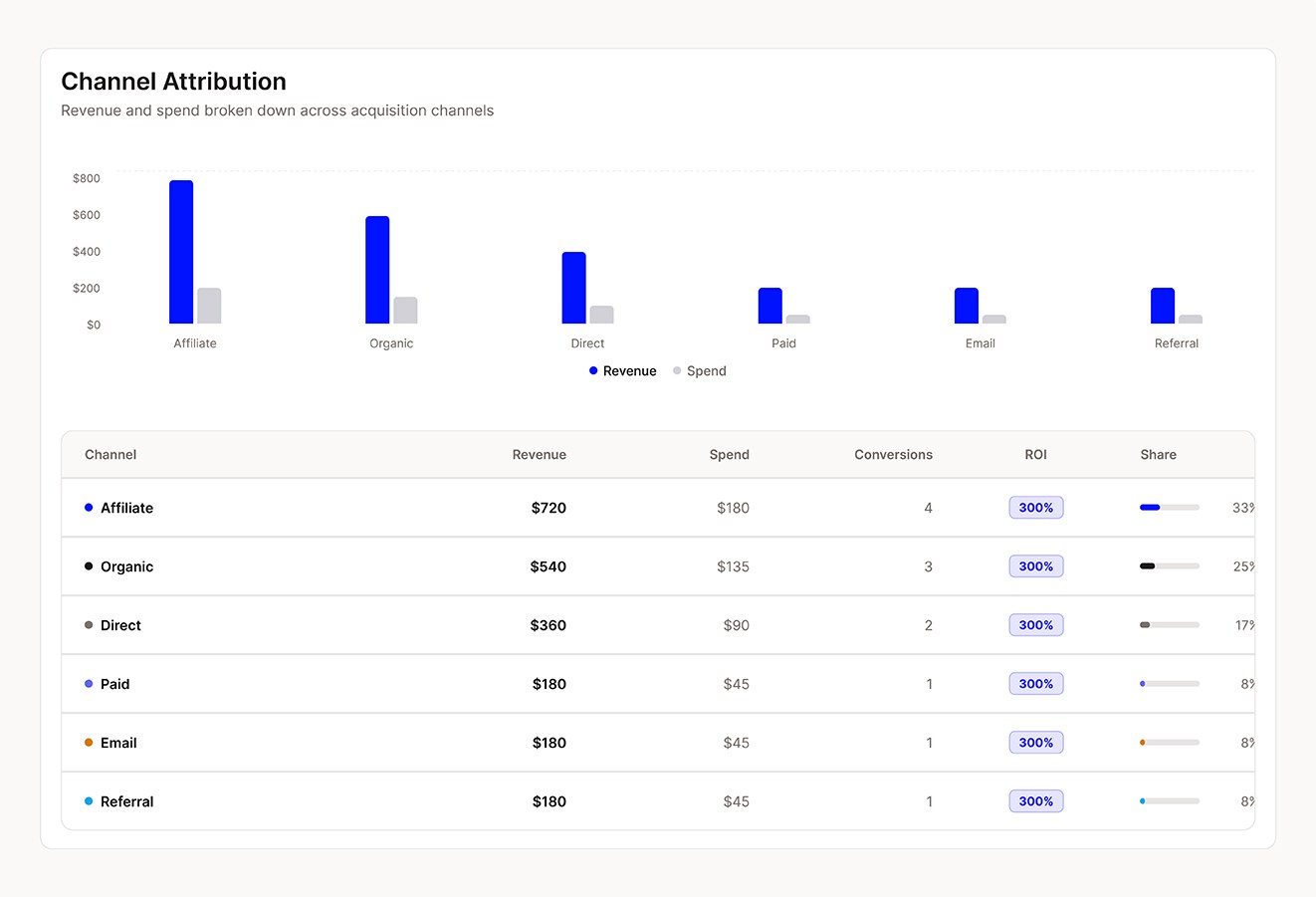
Cross-channel attribution connects affiliate, campaign, creative, journey and direct-touch activity using configurable single- or multi-touch models, helping you understand what contributed to a conversion.
Yes. Ask questions in plain language and get visual answers, with the metric definitions and data lineage behind them kept visible.
Threshold, anomaly and goal alerts surface changes that need attention. From an insight, you can also create CRM audiences, tasks or journey triggers to help your team act on what it finds.
Forecasts include confidence ranges and scenario inputs, giving you context around projections for revenue, pipeline conversion, customer value and campaign outcomes rather than presenting a number in isolation.
Yes. Row-level security and role-based access help control who can access different data, alongside encryption, audit logs and tenant isolation.
Yes. Mordiford's shared identity and event layer connects affiliate activity with CRM outcomes and commercial performance, giving you a joined-up view across acquisition, conversion and revenue.
Connect performance across your business and see what’s driving change, what it means and where to act next.
Talk to our team